

Mid-sized OEMs are not investing in aftermarket software solutions because they want more software, but because the aftermarket has become too important to run on disconnected systems, static PDFs, tribal knowledge and manual workarounds.
For many manufacturers, the commercial battleground is no longer only the original equipment sale, highlighted by a 2026 'Aftermarket Squeeze' report published by Copperberg suggesting that margins on new equipment have dropped by as much as 53% for some OEMs. Instead, revenue is now being viewed more closely along the full lifecycle of the machine: every service event, every replacement part, every dealer interaction, every maintenance decision and every moment of downtime.
That is where aftermarket performance is won or lost, with the Copperberg report also quoting some 2024 McKinsey research showing that these aftermarket commercial solutions are showing to deliver up to 4X higher margins.
At the moment of failure, when a customer has a machine down, a technician needs to identify the correct part, the dealer needs to know what to order, a service manager needs the right procedure, the support team needs to understand what has failed, and the parts team needs to know whether the item is available, where it is stocked and how quickly it can move.
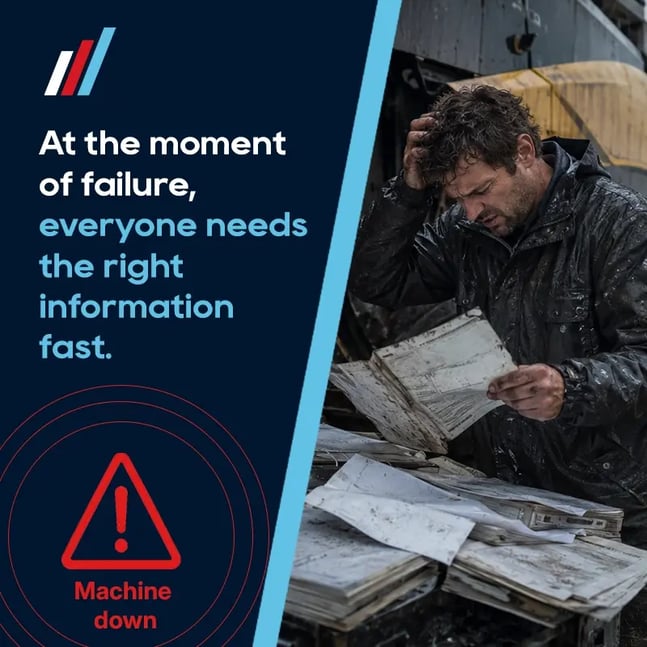
In theory, most OEMs already have the information needed to answer those questions. The problem is that it often lives in too many places:
- Engineering data in one system.
- Parts lists in another.
- PDF manuals on a portal.
- ERP data somewhere else.
- Diagnostics in a separate tool.
- Dealer knowledge spread across emails, phone calls and individual experience.
The result is not usually one dramatic failure, but hundreds of small delays that chip away at margins and revenue throughout the fix:
Someone searches. Someone checks a spreadsheet. Someone asks Gary in technical support. Someone sends a screenshot. Someone orders the wrong part. Someone waits for confirmation. Someone calls back because the repair procedure was unclear.
Each delay looks small on its own, but together they create lower first-time-fix rates, higher support costs, slower repairs, weaker dealer confidence and lost genuine parts revenue.
This is why mid-sized OEMs are now investing in software that makes product, parts and service information easier to find, easier to understand and easier to act on.
The most common investments usually fall into five categories: electronic parts catalogues, digital work instructions, diagnostic tools, ERP and inventory integrations, and parts planning software.
Each has value on its own, but the real opportunity comes when they work together to create a digital thread within the business.
Watch Sam Burgess, CEO at DRVEN, discuss the future of aftermarket support and spare parts revenue.
1. Electronic Parts Catalogues: The Foundation of Modern OEM Aftermarket Support
For many OEM aftermarket teams, the electronic parts catalogue is the most logical starting point. It sits at the point where a customer, dealer, technician or internal support user moves from a problem to a part number.
That moment is commercially important, because if the right part is easy to identify, the OEM has a much better chance of keeping the customer inside the official parts channel. On the opposite side, if the process is slow or confusing then revenue can leak quickly to alternative suppliers where identification and ordering is more seamless.
Traditional parts catalogues (e.g. printed manuals, static PDFs, basic online lists) were built for a different era and for products that are simple and with limited variants. They struggle however, when an OEM has complex machines, long product lifecycles, multiple configurations, regional variants, superseded parts, and/or a dealer network that needs fast self-service access. In many OEMs, that rate of change is hard to keep up with resulting in PDFs and parts lists being out of date by the time they are published.
However, modern electronic parts catalogues do more than put a printed spare parts manual online, and are built to sync with design and engineering changes so that the people doing the work are always using up-to-date catalogues and instructions.
That means users can search, filter and visually navigate a machine or assembly at the moment of need when a product breaks or needs maintenance. They can use interactive exploded diagrams to assess a 3D model of the product and identify the correct component, view part numbers, understand where the part sits in the product, and move towards ordering with more confidence.
The difference is significant compared with many organisations that are still relying on parts lists that are disconnected from the digital thread in the business, and usually 6-months out of date at best.
Static PDF catalogues can be confusing too, often showing every possible component across a model range. The user still has to work out which item applies to the specific machine in front of them, which then means cross-checking serial numbers, build options, technical bulletins, supersessions and notes across multiple documents.
An effective electronic parts catalogue therefore reduces that burden, and for mid-sized OEMs, the strongest catalogues are usually visual, contextual and connected to the real configuration of the product in the field. Instead of asking a dealer to choose from a generic list, the system helps them move towards the exact part required for a specific asset through a 3D visualization of the product taken directly from the product engineering data files along with the serial number, model, variant or assembly.
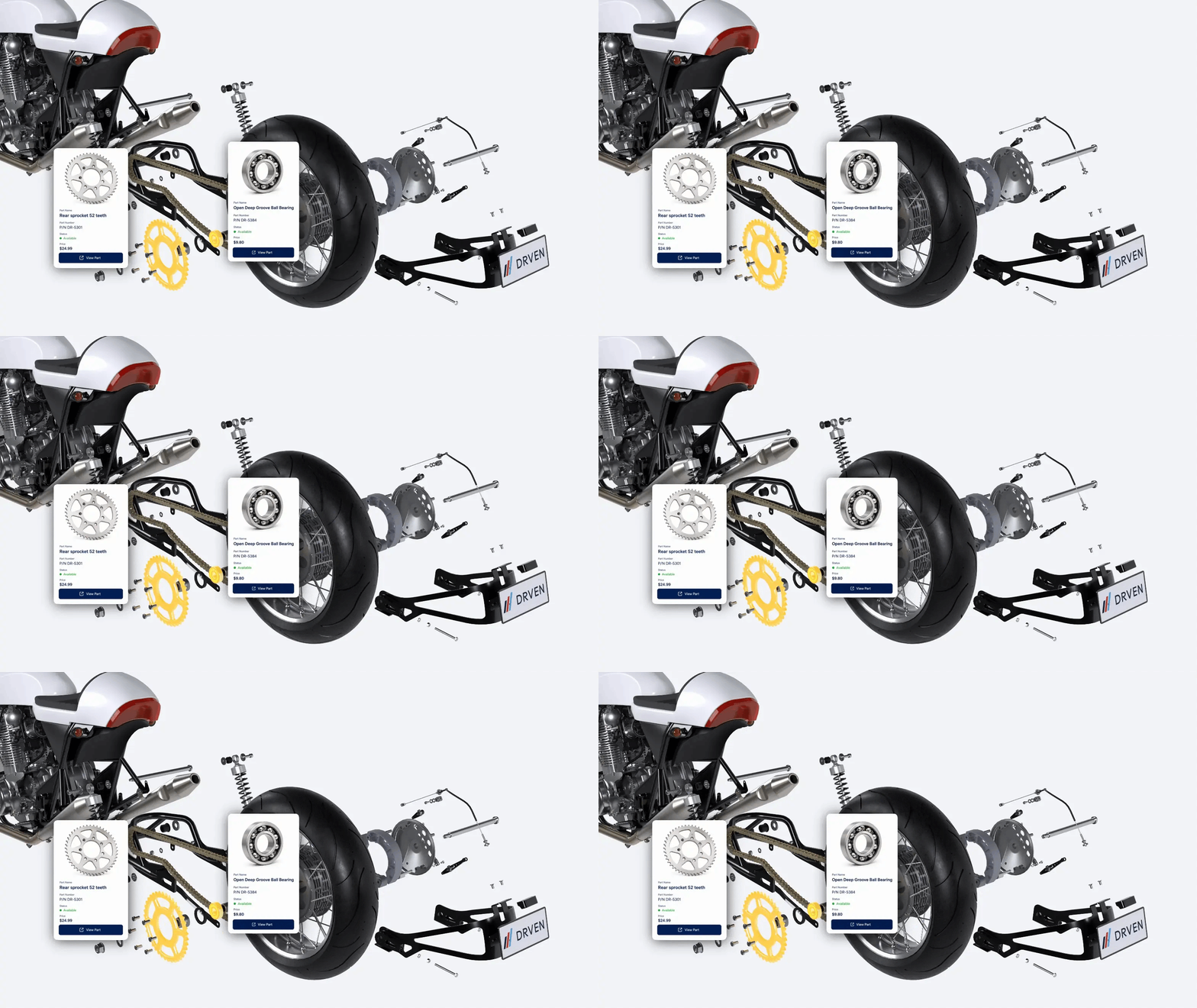
With part identification being one of the most common sources of aftermarket friction that we hear from manufacturers, it's why 3D parts catalogues are being adopted so widely across most industry sectors.
When users cannot identify a part quickly, several things happen:
- They contact technical support for help.
- They delay the repair while waiting for confirmation.
- They risk ordering the wrong component.
- They may use photographs, screenshots or manual descriptions instead of accurate part data.
- They may search for a cheaper or easier-to-find third-party alternative.
- They lose confidence in the OEM experience.
Every failed part identification is therefore a commercial risk.
For the customer it means more downtime, for the dealer it means wasted time and reduced confidence, and for the OEM it means more support demand, more incorrect orders, more returns and more leakage from genuine parts revenue.
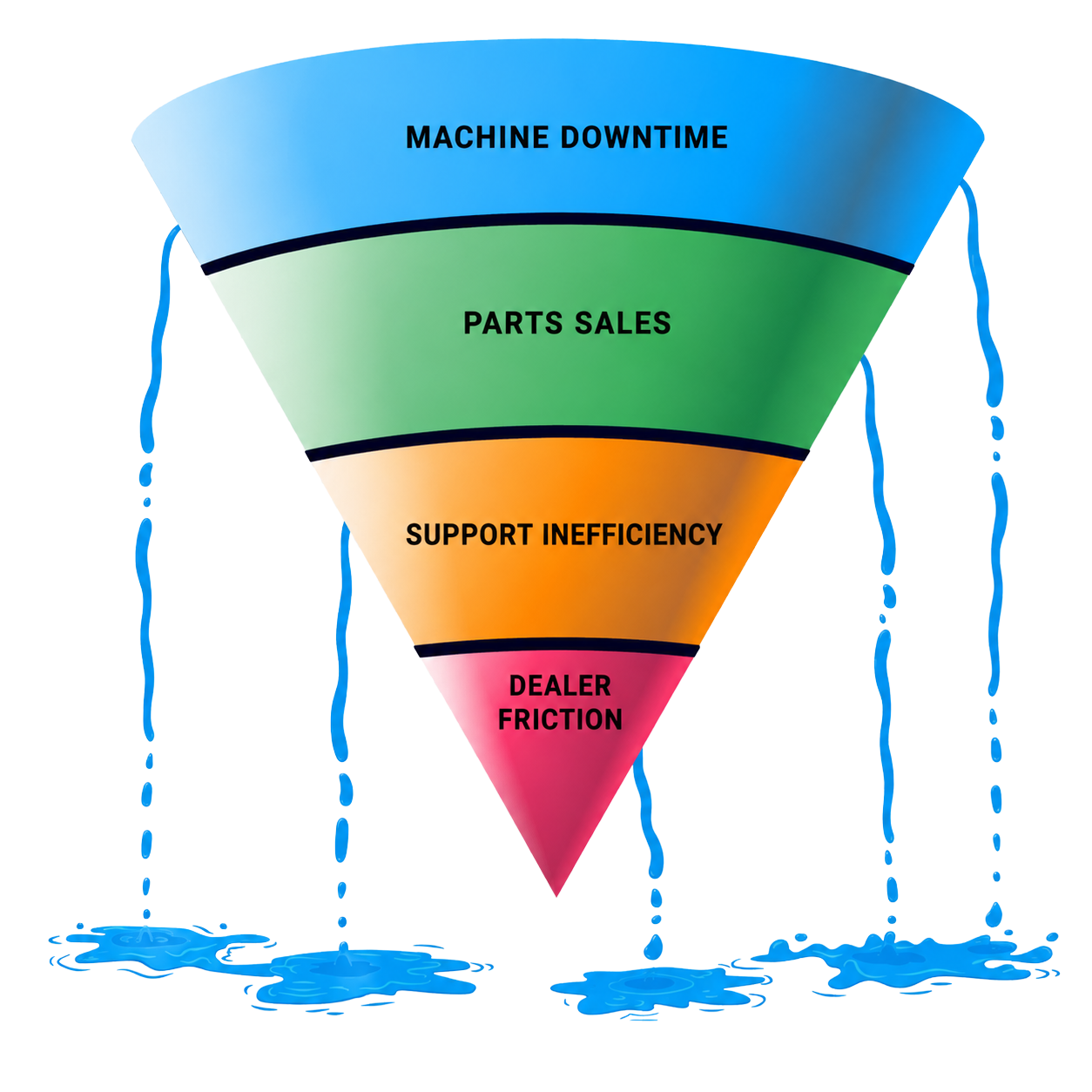
That is why electronic parts catalogue software has become such a high-impact investment for OEMs. It improves the user experience while also protecting the commercial value of the installed base.
The best digital parts catalogues usually include several important capabilities:
- 3D interactive models that help users spin, zoom and visually identify components.
- Model, variant or serial-number filtering to narrow results to the correct product configuration.
- Clear part descriptions, numbers, quantities and assembly relationships.
- Supersession handling so users can see when a part has been replaced or updated.
- Links to related parts, kits, consumables or service items.
- Connection to ordering workflows, baskets, quotations or dealer portals.
- Access controls for customers, dealers, distributors and internal teams.
- Integration with ERP or inventory systems for availability, pricing and fulfilment data.
The commercial value is not only that people can find parts faster. It is that more people can find the right part without needing costly support intervention.
That has a direct effect on scalability too, because too many mid-sized OEMs rely heavily on experienced internal people who know the product history, understand the exceptions and can interpret messy parts information. Those people are valuable, but they do not scale.
An electronic spare parts catalogue helps capture that product knowledge and make it available to the people who need it - at the moment they need it.
It also improves dealer performance. Dealers do not want to wait for head office to confirm routine part numbers, but instead, want confidence that they are quoting, ordering and fitting the correct component, because a clear OEM parts catalogue gives them that confidence.
For customers, the experience feels simpler, whereby they don't see the complexity behind the catalogue. They only see that the OEM is easier to do business with.
That is the real value: A good electronic parts catalogue does not just digitise product data. It removes the uncertainty that slows aftermarket revenue down.
2. Digital Work Instructions That Reduce Repair Errors
Finding the correct part is only part of the aftermarket challenge, because once the part has been identified, someone still needs to complete the job accurately.
That might mean replacing a component, completing a service procedure, carrying out an inspection, preparing a machine, installing an upgrade kit, or assembling part of a system.
In many OEM environments, that knowledge still lives in a mix of PDFs, printed manuals, training sessions, service bulletins, videos and experienced people. The information may exist, but it is not always easy to access during the job - this creates risk.
A technician may not know the exact sequence, a dealer may interpret a procedure differently, the customer may attempt a repair without enough guidance, or a support engineer may spend time explaining the same process repeatedly.
Digital work instruction software therefore helps turn service and repair knowledge into structured, visual, step-by-step guidance.
Strong digital work instructions help users understand:
- What needs to be done.
- Which assembly, component or part is involved.
- Which tools or consumables are required.
- What order the steps should follow.
- Which safety checks matter.
- What a completed step should look like.
- What information should be captured before the job is closed.
For OEMs, the value is practical: Clearer instructions can reduce repair errors, increase first-time-fix rates, lower support dependency, improve dealer consistency and make service knowledge easier to scale.
They also help protect the brand, because when a repair is completed badly, the customer rarely blames the instruction format. They blame the machine, the dealer, the service experience or the manufacturer.
This is why work instructions in the flow of work are becoming a key part of modern aftermarket software. They help OEMs move from knowledge held by a few experienced people to knowledge that can be followed consistently, when it's needed, across a wider service network.
The strongest opportunity however, comes when work instructions are connected to parts data.
A technician should not have to identify a part in one system, then search a separate portal for the relevant procedure, then check another PDF for torque settings or safety steps. The workflow should connect.
For example, if someone is viewing a component in an electronic parts catalogue, they should be able to see the related service procedure. Or if they are following a repair process, they should be able to identify the parts required for that procedure as they work through it too.
That is where the aftermarket experience becomes way more useful:
-
Find the part.
-
Follow the process.
-
Fix the issue.
3. Diagnostic Tools That Move Teams From Symptom to Cause
Electronic parts catalogues help users identify components, work instructions help users complete procedures, while diagnostic tools and software help teams understand what has gone wrong in the first place.
Diagnostics can include fault codes, machine data, sensor readings, telematics, remote monitoring, service history or guided troubleshooting workflows. The aim is to reduce uncertainty and move faster from symptom to cause.
This is especially important when machines are complex, downtime is expensive or field engineers are under pressure to solve issues on the first visit.
Without good diagnostic insight, support teams and technicians often work from incomplete information, making the process becomes slow and inconsistent:
-
A customer describes a problem.
-
A technician makes an initial judgement.
-
Support asks for photos, serial numbers, operating context, fault codes or service history.
Diagnostic software can help narrow the problem faster.
It can highlight likely failure points, identify patterns, guide technicians through checks and connect symptoms to possible causes. That can reduce unnecessary site visits, improve parts accuracy and help teams make better repair decisions.
The commercial impact can be significant too: Better diagnostics can reduce downtime, increase first-time-fix rates, lower warranty exposure and improve customer confidence.
But diagnostics are most valuable when they are connected to action because a fault code on its own is useful, but limited. The real value comes when the diagnostic insight connects to the relevant component, the correct part, the right procedure and the next best action.
For example, a diagnostic tool might identify a likely component failure. That should lead the user directly to the correct assembly in the digital parts catalogue, show the replacement part, provide the work instruction and confirm whether the item is available.
That is the difference between insight and resolution.
Many OEMs already have pockets of diagnostic capability and workflows in place for manual diagnostics, but the opportunity for OEMs is to connect those signals into the wider aftermarket workflow, so the information does not stop at "something is wrong", but instead automates to the next stage to help the user fix it.
4. ERP and Inventory Integrations That Fulfil the Fix
Aftermarket teams don't just need to diagnose the issue, identify parts and understand repairs. They also need to make sure the required parts are available, priced correctly, ordered efficiently and delivered to the right place.
That is where ERP and inventory systems become critical.
ERP systems usually manage the commercial and operational backbone of the parts business: stock availability, pricing, orders, customer accounts, warehouses, purchasing, invoices and fulfilment.
For better aftermarket performance, this infrastructure is super important. A user may identify the right part perfectly, but if availability is unclear, or ordering is painful, the experience still breaks down.
A technician may know exactly what is needed, but if the part cannot be sourced quickly, downtime continues. A dealer may want to buy from the OEM, but if the process is harder than using an alternative supplier, revenue can still leak out of the official channel.
ERP integration is therefore high on the radar for many OEMs, and the most effective aftermarket software does not try to replace the ERP, but instead make ERP data usable at the point of need.
That might mean:
- Showing live or near-live stock availability inside an electronic parts catalogue.
- Connecting selected parts to baskets, quotes, purchase orders or dealer portals.
- Displaying customer-specific or dealer-specific pricing where appropriate.
- Reducing manual rekeying between service, support and commercial teams.
- Keeping parts identification, ordering and fulfilment aligned.
- Ensuring the OEM retains the transaction, the data and the customer relationship.
This is one of the most important distinctions for mid-sized OEMs because an ERP is usually essential, but it is rarely designed to be the front-end experience for technicians, dealers or customers. It is built to run the business, but the aftermarket user needs a simpler layer that helps them act quickly without exposing unnecessary system complexity.
That is where connected aftermarket software creates value, when the front-end experience becomes clear and usable, while the back-end process still respects the systems that control stock, pricing, fulfilment and finance.
When this works well, everyone benefits:
-
Customers get a faster route to the right part.
-
Dealers can quote and order with more confidence.
-
Support teams reduce manual administration.
-
The OEM keeps more revenue inside its own ecosystem.
5. Parts Planning Software That Prepares the Aftermarket for Demand
Aftermarket performance is not only about reacting when something fails. It is also about anticipating what will be needed, where demand may appear and how parts availability can support uptime.
Parts planning software helps teams make better decisions about stocking, forecasting, replenishment and lifecycle support - whilst also feeding into predictive maintenance programs.
This is especially important for OEMs with large installed bases, regional dealer networks, long machine lifecycles, and/or complex service or warranty obligations.
Without good planning, aftermarket teams can end up with the worst of both worlds: too much stock in the wrong places, and not enough stock where demand actually appears.
If a critical part is unavailable, machines stay down, and if obsolete or slow-moving parts are overstocked, working capital is tied up. Similarly, if planning is based only on historic orders, the OEM may miss signals from the installed base, service activity or emerging failure patterns.
Better parts planning therefore helps aftermarket teams answer practical questions:
- Which parts are most likely to fail?
- Which products, models or serial-number ranges are driving demand?
- Which regions or dealers need stronger stock coverage?
- Which parts are critical to uptime?
- Which slow-moving parts are tying up working capital?
- Where might customers be sourcing outside the OEM channel?
- What should be stocked, where and when?
This is where product engineering, BoM and product lifecycle data becomes strategically valuable, because the OEM can move from reactive fulfilment to proactive lifecycle support. It can use insight from the field to improve availability, protect revenue and support customers more effectively.
But parts planning becomes more powerful when it is connected to the wider aftermarket workflow, because the demand should not sit in isolation. It should connect to installed base data, service history, machine usage, part identification, repair workflows, supersessions and commercial performance.
That is how OEMs move from managing spare parts as inventory to managing them as a revenue and customer experience engine.
The Real Opportunity Is Connecting the Workflow
Each of these software categories, from diagnostics, to parts identification, to parts ordering, work instructions and then product lifecycle planning, has value:
- Diagnostic tools help people understand what has failed.
- Electronic parts catalogues help people find the right part.
- Digital work instructions help people follow the right process.
- ERP and inventory integrations help teams fulfil the fix.
- Parts planning software helps the OEM prepare for future demand.
But customers, dealers and technicians do not experience these as separate software categories - they experience one problem: something has failed and we need to fix it.
The technician doesn't care where the product data lives, or which system owns the part number. And they're not interested in whether the instruction came from engineering, service, support or technical documentation. They need clarity, speed and confidence!
That is why the biggest aftermarket gains come when these technologies are connected into a single, practical workflow.
A better aftermarket workflow might look like this:
- A machine reports a fault or a customer identifies a problem.
- The user confirms the model, serial number or configuration.
- The electronic parts catalogue shows the relevant assembly and correct replacement part.
- The diagnostic tool supports the likely cause.
- The work instruction shows the correct procedure.
- ERP data confirms availability, pricing and ordering options.
- Parts planning data improves future stock decisions.
This is what modern aftermarket software should make possible through integrations and a connected digital thread.
It's not about layering on more systems for people to switch between, or providing another portal to remember. And it's not about more documents to search through. Instead, it's about consolidating and structuring the data that already exists into a usable product knowledge hub to turn complex, disparate product and parts data into action.
For OEMs, that has many positive commercial impacts:
- More genuine parts revenue is retained.
- Dealers become more independent.
- Support teams spend less time answering repeat questions.
- Technicians complete repairs with greater confidence.
- Customers experience less downtime.
- Product knowledge becomes easier to scale across markets and teams.
The aftermarket is no longer just a support function, but becoming a tangible strategy for longer term recurring revenue streams. For many OEMs, it is one of the most important engines of margin, loyalty and long-term customer value.
However, that value depends on how easy it is for people to do the right thing, because if customers cannot find the part then revenue leaks, and if technicians cannot follow the process, repairs slow down.
And if diagnostics are disconnected, parts planning is weak, or ERP data is hidden, then support teams lose time, ordering becomes difficult, and parts are unavailable when they matter most.
This is why mid-sized OEMs are investing in aftermarket software platforms that connect product information, service knowledge and operational data.
The OEMs that are leading the way
OEMs pulling ahead are not necessarily the ones buying the most software. They are the ones focussed on the end-to-end support experience making decades of engineering and service knowledge available in seconds - and that is the competitive advantage.
Because when a technician can understand the fault, identify the correct part from an electronic parts catalogue, access the right repair procedure, confirm stock availability and complete the repair, without jumping between disconnected systems, everyone benefits.
-
Customers get back to work faster.
-
Dealers become more productive.
-
Support teams spend less time firefighting.
-
Genuine parts sales increase.
-
The OEM strengthens one of its most valuable revenue streams.
Technology does not create that outcome on its own. Connected product data and product knowledge does.